Opt-in, keywords & support
SMS Guide
GamedayTime Crew Notifications
GamedayTime is a DBA of CampbellsLife LLC. · Last updated October 13, 2026
Who it's for
GamedayTime is a DBA of CampbellsLife LLC. The program is for GamedayTime employees and crew members only, by invitation only. Crew text the program to clock in and out of shifts, and receive work-related notices.
How opt-in works
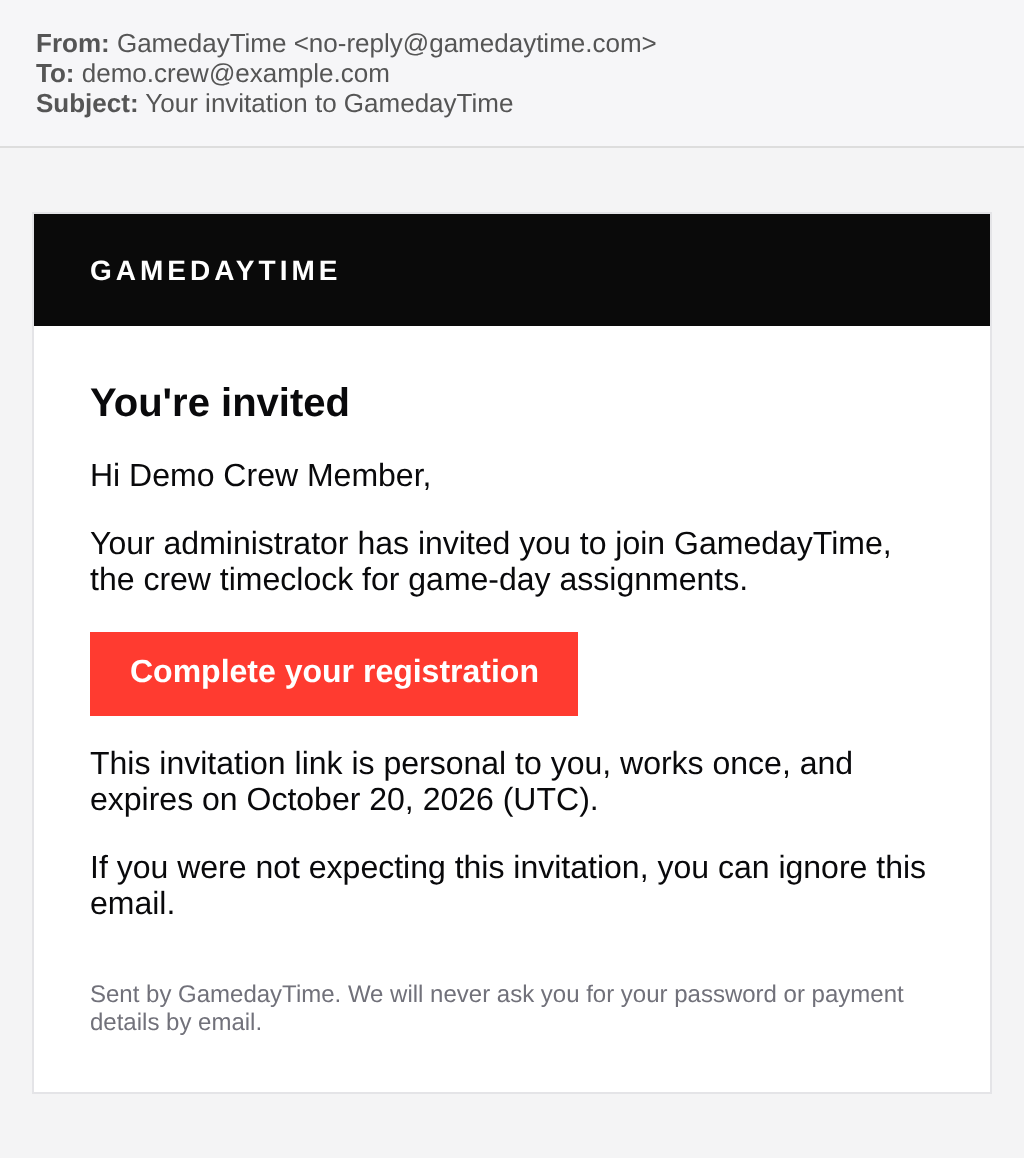
Step 1. Your administrator invites you. You receive an invitation email from GamedayTime with a personal registration link. There is no public sign-up.
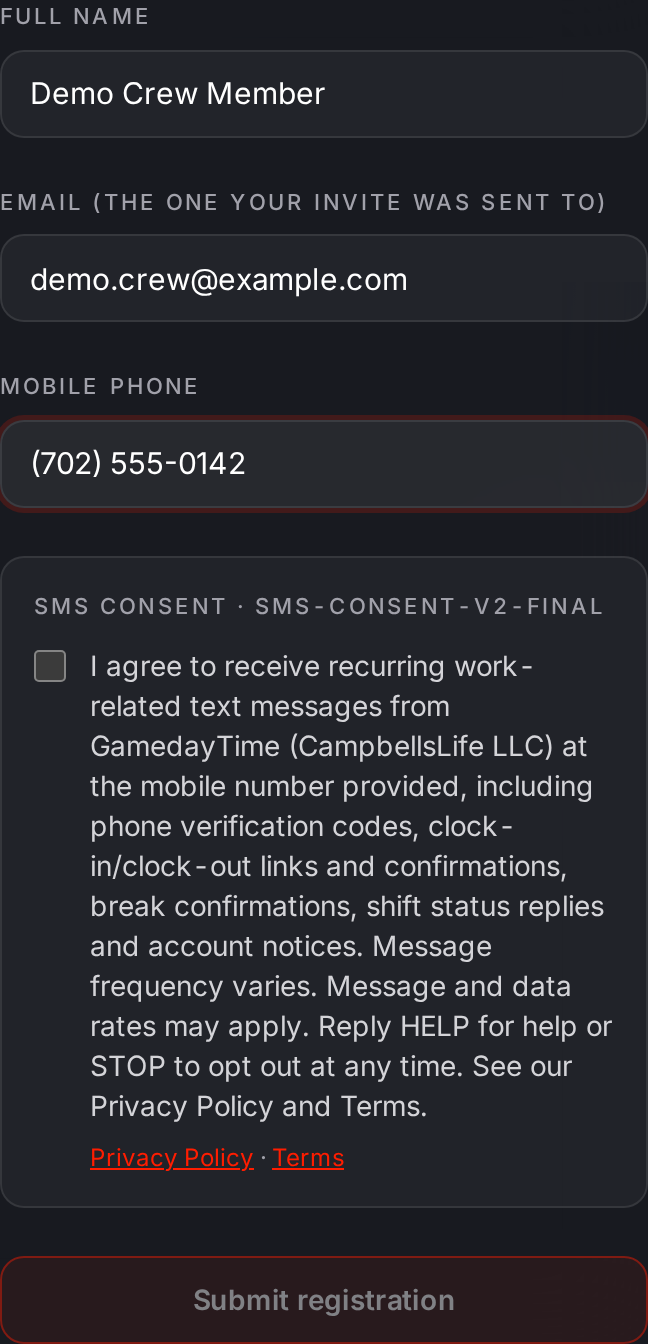
Step 2. On the registration page you enter your name, email and mobile number. The SMS consent checkbox is unchecked by default; you must check it yourself to continue. The full consent text and links to the Privacy Policy and Terms are shown next to it.
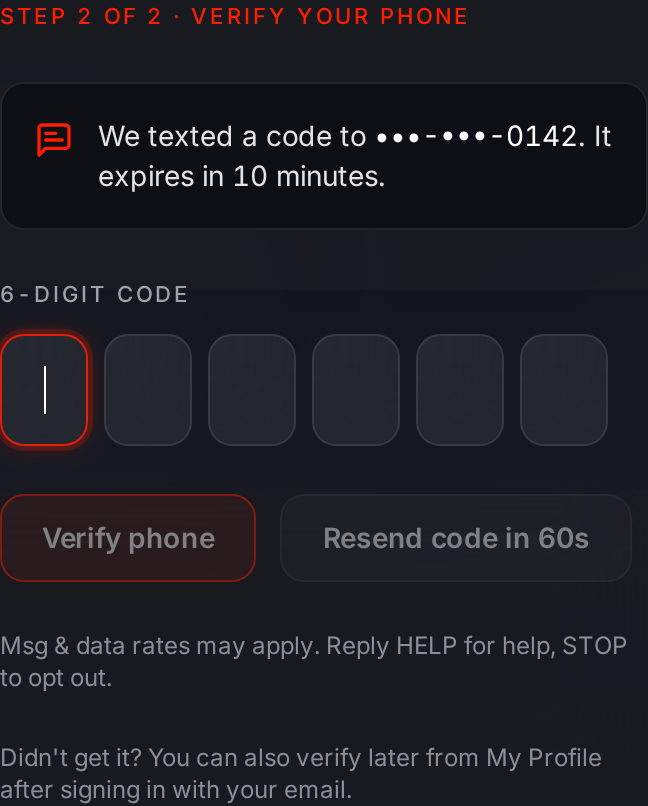
Step 3. We text a one-time verification code to the number you entered. Entering it confirms you own the phone.
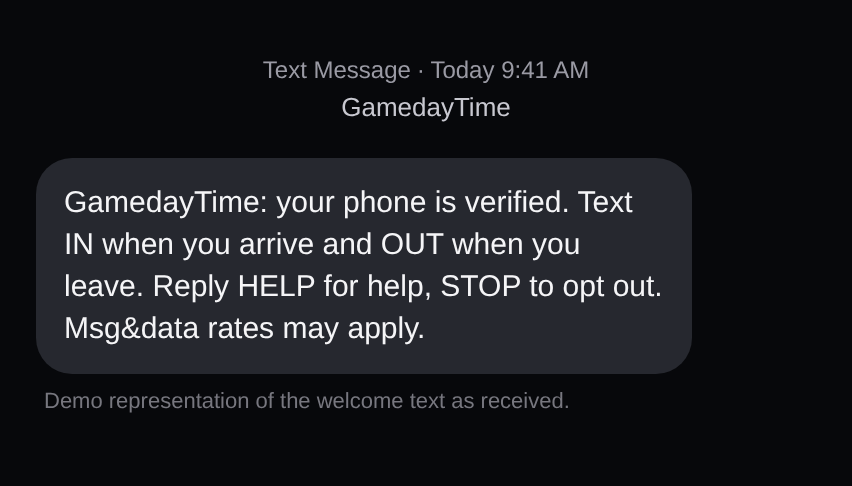
Step 4. After verification you receive one welcome text with HELP and STOP instructions.
Consent text (shown at registration)
I agree to receive recurring work-related text messages from GamedayTime (CampbellsLife LLC) at the mobile number provided, including phone verification codes, clock-in/clock-out links and confirmations, break confirmations, shift status replies and account notices. Message frequency varies. Message and data rates may apply. Reply HELP for help or STOP to opt out at any time. See our Privacy Policy and Terms.
Message types
- Verification codes
- Clock-in/clock-out confirmation links and confirmations
- Break confirmations
- Shift status replies
- Account notices
Message frequency varies. Message and data rates may apply.
Keywords
- HELP
- Get help: replies with the help link and contact email.
- STOP (also END, CANCEL, UNSUBSCRIBE, QUIT)
- Opt out. You get one confirmation and no further texts.
- START
- Opt back in after STOP.
- IN
- Start a clock-in (you get a link for a one-time location check).
- OUT
- Start a clock-out.
- BREAK
- Start a break.
- BACK
- End a break.
- STATUS
- Get your current clock status.
Carriers, support and privacy
Carriers are not liable for delayed or undelivered messages.
Support: contact@gamedaytime.com
We do not sell or share your mobile number or SMS opt-in consent with third parties for marketing purposes.
See our Privacy Policy and Terms.